
Private AI Box: private AI inside your company network
Private AI inside your company network, ready to run in two days. Employees ask questions in the Xelto Apps chat, and the box answers from company documents and cites the source. Everything sensitive stays in the box.
You want AI. But your documents can’t leave the company.
If internal policy, industry regulation or client contracts forbid sending documents outside the company, the choice isn’t cloud or on-premise. It’s on-premise AI or no AI at all.
Regulation
You are regulated, or your company is owned by the state or a municipality. You can’t hand documents to another company for processing.
Sensitive information
Know-how and commercially sensitive information can’t leave your infrastructure.
Internal policy
Your company bans external AI services, or your security team has already rejected them.
What is on-premise AI?
On-premise AI runs directly on your own computers and servers. It processes all documents and queries on site, so sensitive company data never leaves your business. You start with one process.
Your data stays with you
Company content never leaves your network.
Less manual work
Retyping becomes reviewing.
People decide
You always have the last word.
Everything is logged
You know what the AI suggested and who decided.
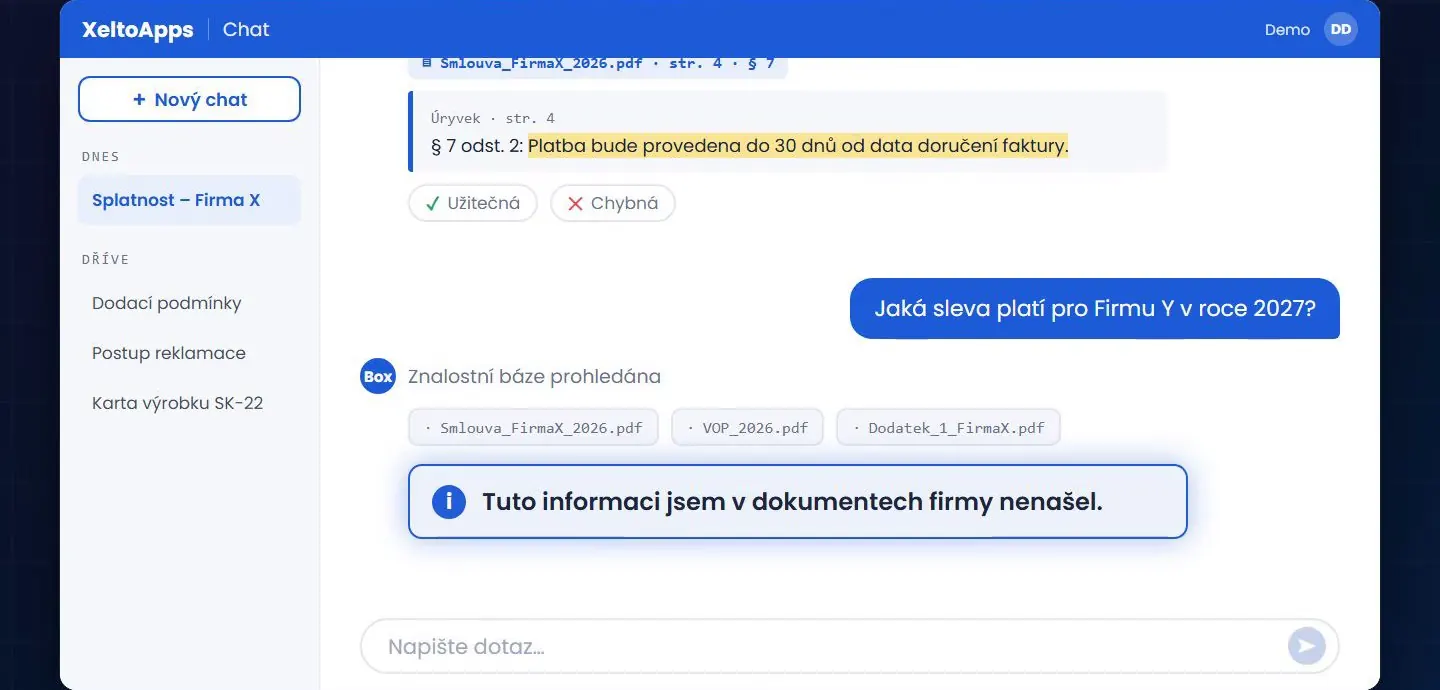
Ask in the chat, get an answer with the source
Xelto Apps chat
Employees ask a question in the chat, and the box answers from company documents and cites the source: file, page and paragraph. If the answer isn’t in the documents, it says so: “I couldn’t find this information in the company’s documents.”
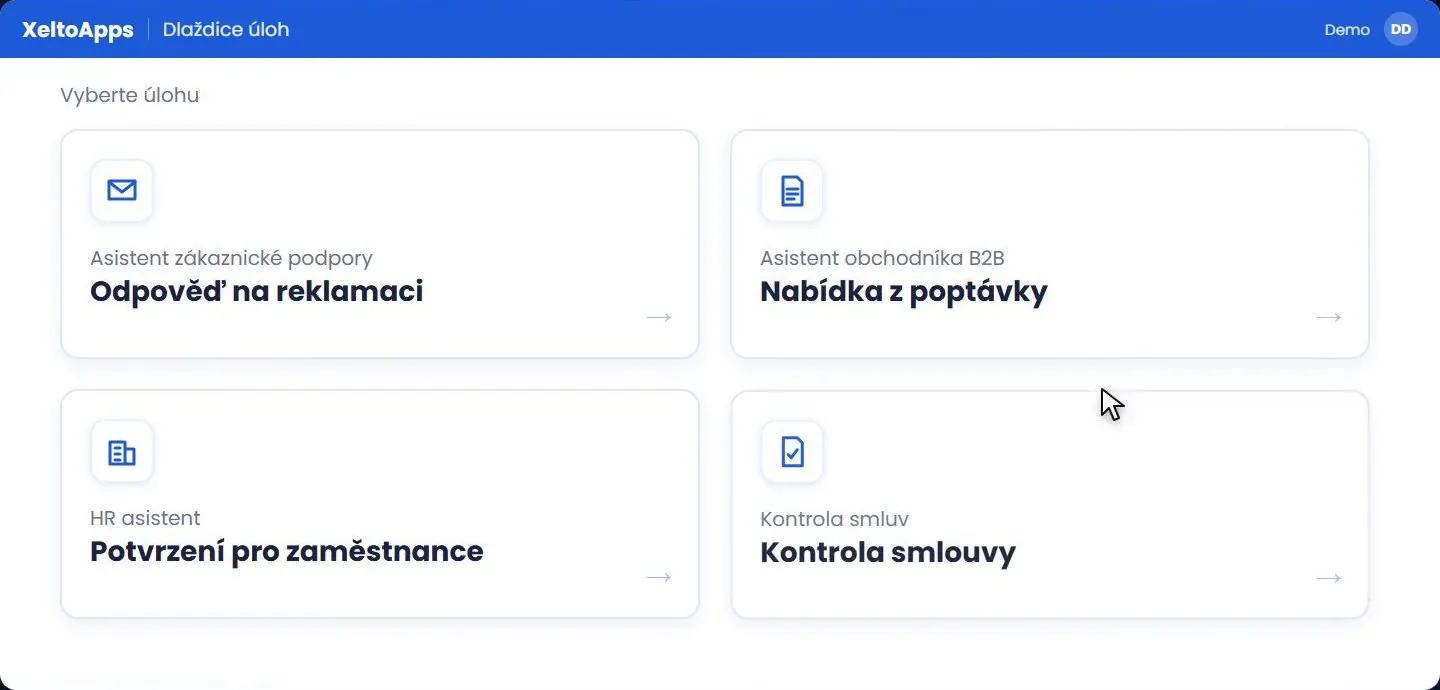
Ready-made tasks
The box runs ready-made workflows on your company documents with one click. The basic version includes four: replying to a complaint, drafting a price quote, issuing a confirmation for an employee and reviewing a contract.
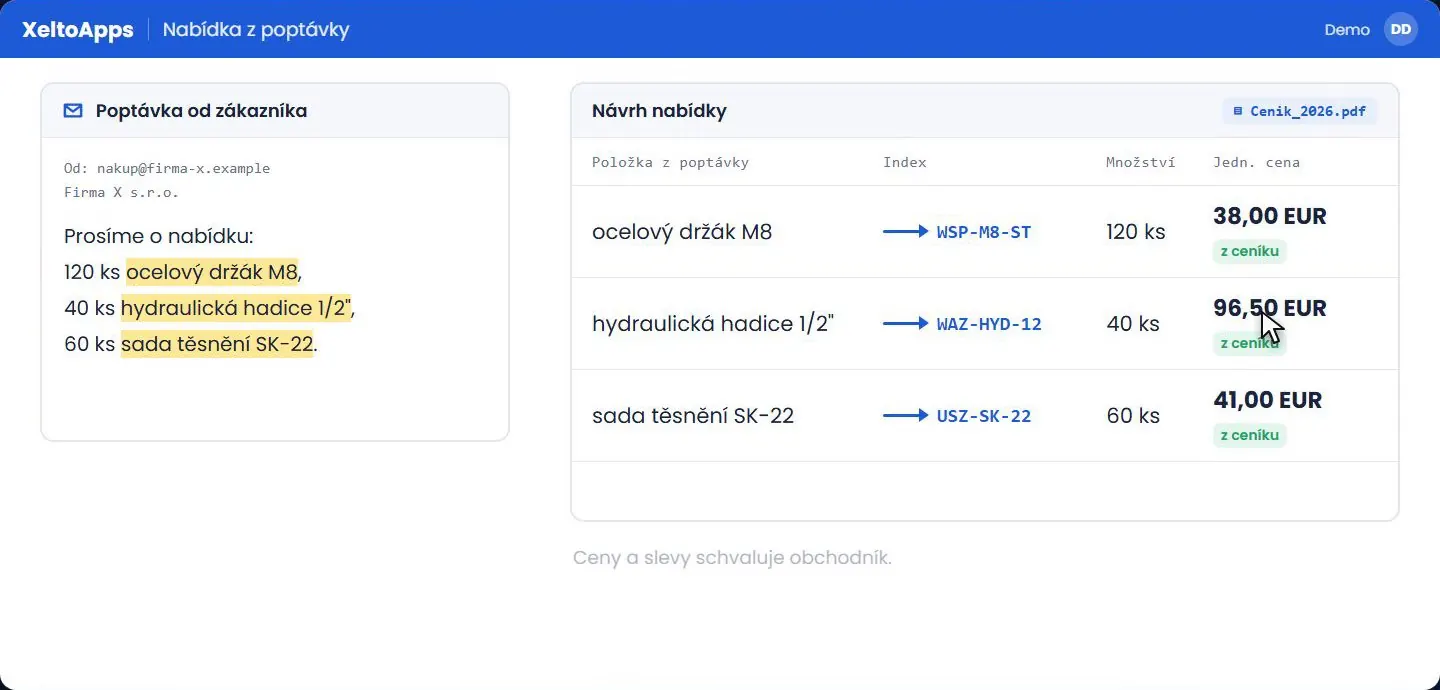
Example: drafting a price quote
The box reads the enquiry email, matches the items to your products and takes prices from your price list. It never makes them up. The salesperson approves prices and discounts. You can download the result as PDF, DOCX or XLSX.
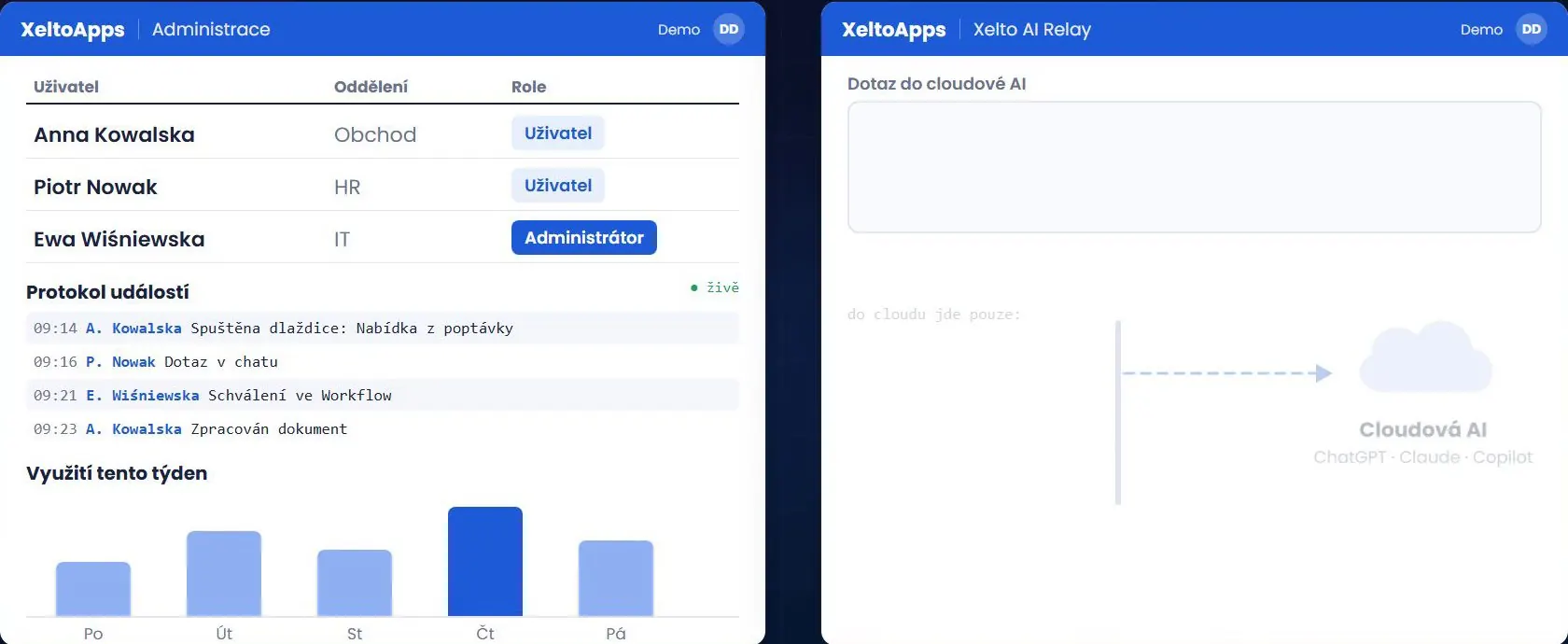
Administration
Administration gives you roles, an event log and a usage overview. Everything sensitive stays in the box, with no access from outside, so you stay in control of your data and how it is used.
Four solutions, each able to run on your own premises
On-premise AI in practice
Source: Xelto ICR test, 1,000 invoices from March 2026, run in August 2026. Local model 93.1% vs cloud 94.7% match on the same set. We always measure accuracy on your own reference set of documents.
Public AI vs on-premise AI: what’s the difference?
AI in the public cloud
External processingXelto on-premise AI
Our recommendationWhere your AI runs
Cloud
For companies that are fine with external data processing and want maximum speed at minimal upfront cost. Uses Azure, Google or AWS in the EU, under your own subscription.
AI Relay: data masking
A layer on top of the cloud for working with AI models hosted by the provider. Names, accounts and company names are replaced with codes before sending and filled back in only on your side. The provider never sees them.
Fully on-premise
For regulated industries, organisations with sensitive know-how and companies with huge document volumes. It runs on your infrastructure and the data stays on your network. You buy and own the hardware. We specify it and install the software.
What hardware do you need?
You buy and own the hardware. We specify it and install the software. We don’t sell, host or maintain it.
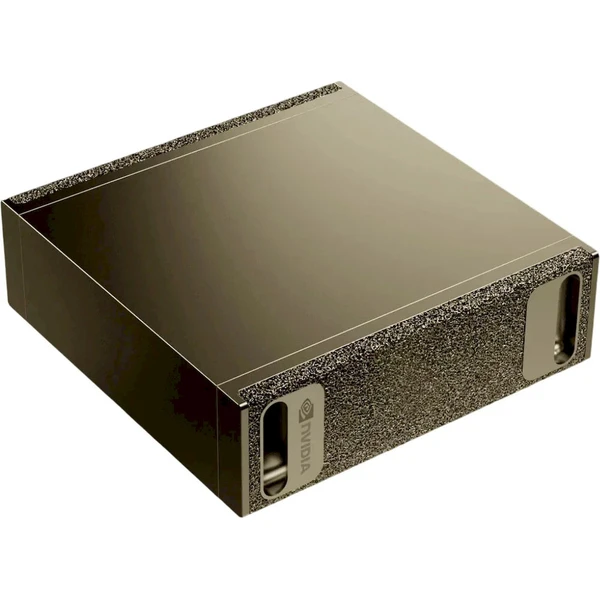
NVIDIA DGX Spark, 128 GB of shared memory
Recommended configuration
NVIDIA DGX Spark: a compact machine with 128 GB of shared memory that runs even large open-weight models. We use the same type of machine ourselves. For a larger model or heavier workload, you can link two units (256 GB).
You buy the hardware
You buy the machine through your existing supplier, on their terms. Warranty and servicing stay with you and your supplier. We install the software.
Higher demands
For a heavier workload or a larger model, we design a more powerful setup for your case.
What you provide on site
Space for the machine, power, cooling, a network connection and a contact person for administration.
Private AI Box: FAQ
Where does the box get its answers, and what if it doesn’t know?
The box searches your company’s documents and cites the source for every answer: file, page and paragraph. If the documents don’t contain the answer, it says it found nothing.
Does sensitive data leave the company?
No. Everything sensitive stays in the box, with no access from outside.
Do we pay per token?
No. Costs are predictable and there are no token fees.
Which scenarios does the basic version include?
You pick one of four scenarios: a customer support assistant, a sales assistant, an HR assistant or contract review.
Related: Doc.AI, AI agents, Business process automation.